
Release Information and Metadata
Bearcat stores three kinds of information for a release:
- Release information comes from scene databases: release name, size, video and audio type, database links, and other release details.
- Metadata describes the movie or TV show: title, genre, description, cover image, and provider link.
- Media data is read from the local video files with MediaInfo. It contains codecs, resolution, duration, audio tracks, and subtitle tracks.
For example, Bearcat combines scene information from xREL with the title, description, and higher-resolution cover from TMDB.
Configure the sources
Section titled “Configure the sources”Open NFO database registrations in the sidebar to enable sources for scene release information and NFO files:
- xREL has good coverage for German scene releases.
- SRRDB also covers many English and international scene releases and can provide NFO files and IMDb IDs.
- PreDB has similar coverage to SRRDB, but stricter API limits. When both are enabled, Bearcat tries SRRDB first for NFO files.
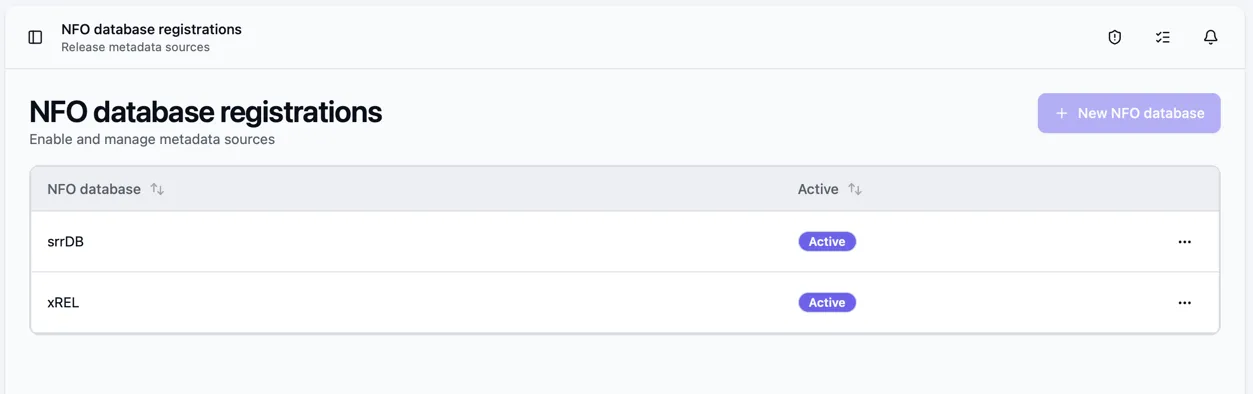
xREL, SRRDB and PreDB do not require account credentials.
Open Metadata sources to register providers for movie, TV and game metadata:
| Provider | Metadata | Credentials |
|---|---|---|
| The Movie Database (TMDB) | Movies, TV series, and episodes | API key |
| TheTVDB | TV series | API key |
| Steam | Games | None |
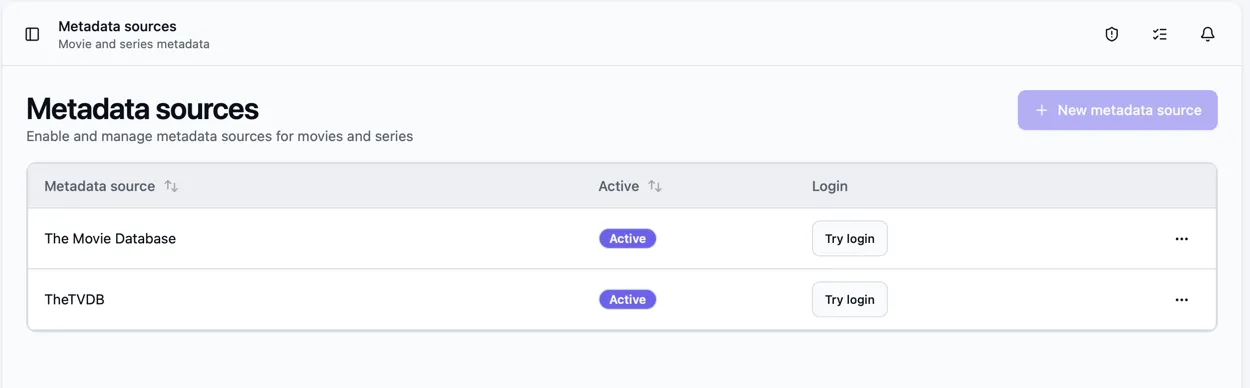
After saving, use Try login to check the connection.
Bearcat checks active providers in a fixed order and uses the first match. It prefers the metadata provider’s cover and uses scene database values for missing details.
Primary language
Section titled “Primary language”Set a primary language on a release or collection to request translated titles and descriptions from metadata providers.
Choose the language when creating or editing a release or collection. A folder automation can set it
for all new releases, for example German for the pattern *.GERMAN.*.
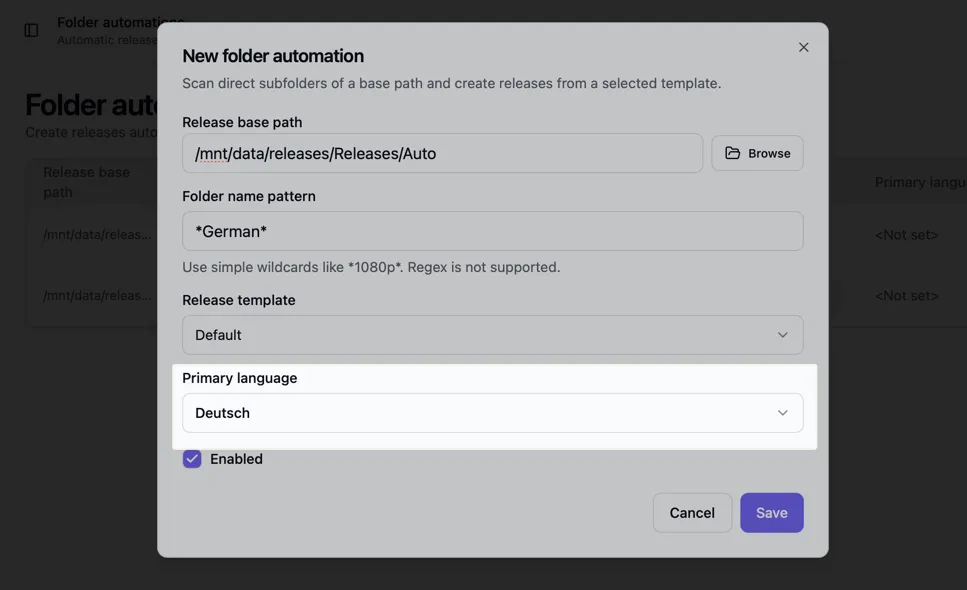
Bearcat does not infer a language from release names. If none is set, the metadata provider uses its default language.
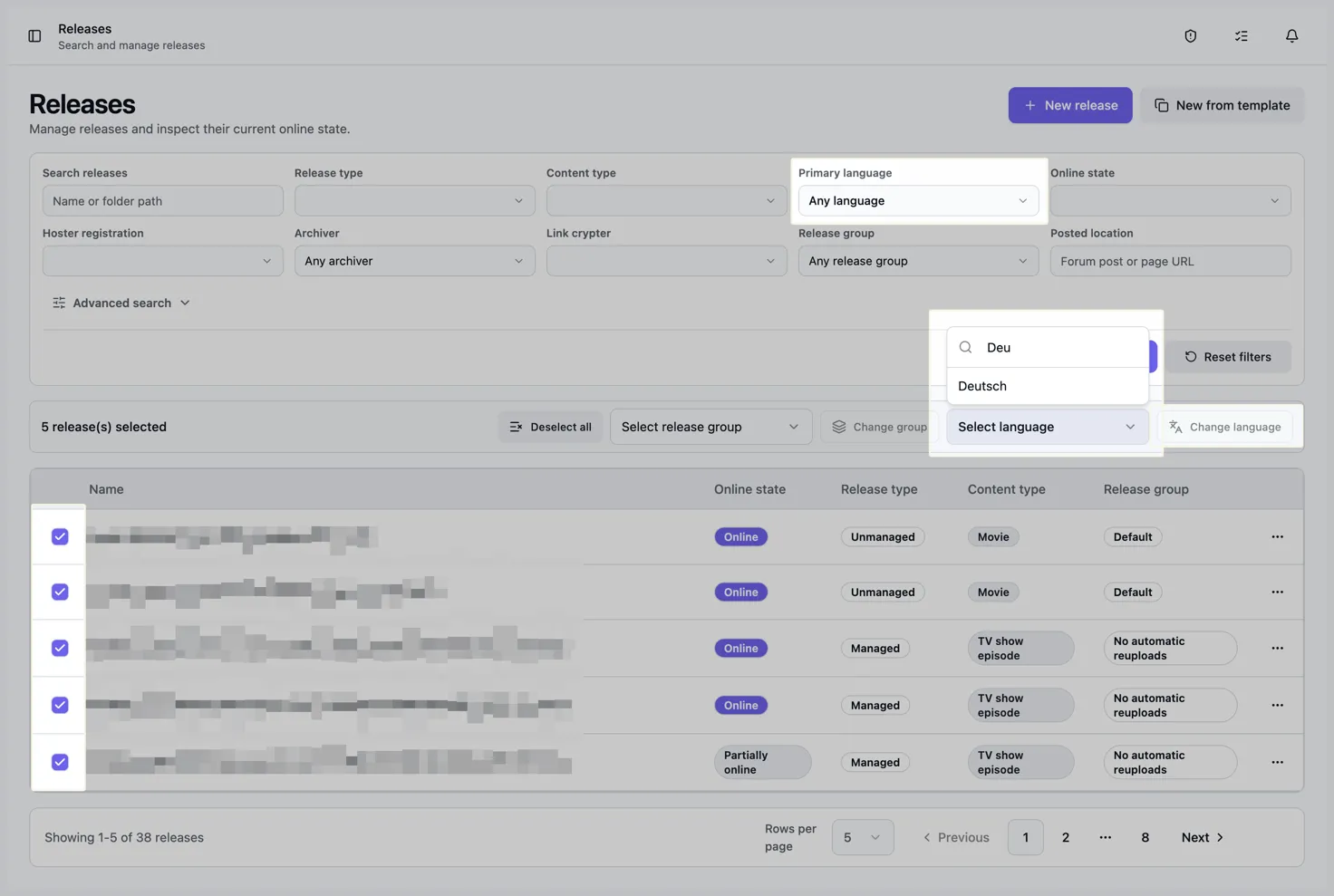
The folder automation list shows each automation’s language. On Releases, filter by language or choose Not set to find releases without one. You can also select several releases to set or clear their language together.
How resolution works
Section titled “How resolution works”- Read the NFO from the release folder or fetch one from an active NFO database.
- Fetch scene information from active NFO databases.
- Extract IMDb IDs from the NFO and the xREL or SRRDB results.
- Look up metadata using an IMDb ID. Without a suitable ID, use the title and other details from the release name.
- Pass the primary language to the metadata provider.
For collections, Bearcat looks up a TV series using an IMDb ID from an included release or the collection name.
The Release info resolution background task handles missing data automatically. You can also trigger the relevant actions from the Release Info tab.
The Release Info tab
Section titled “The Release Info tab”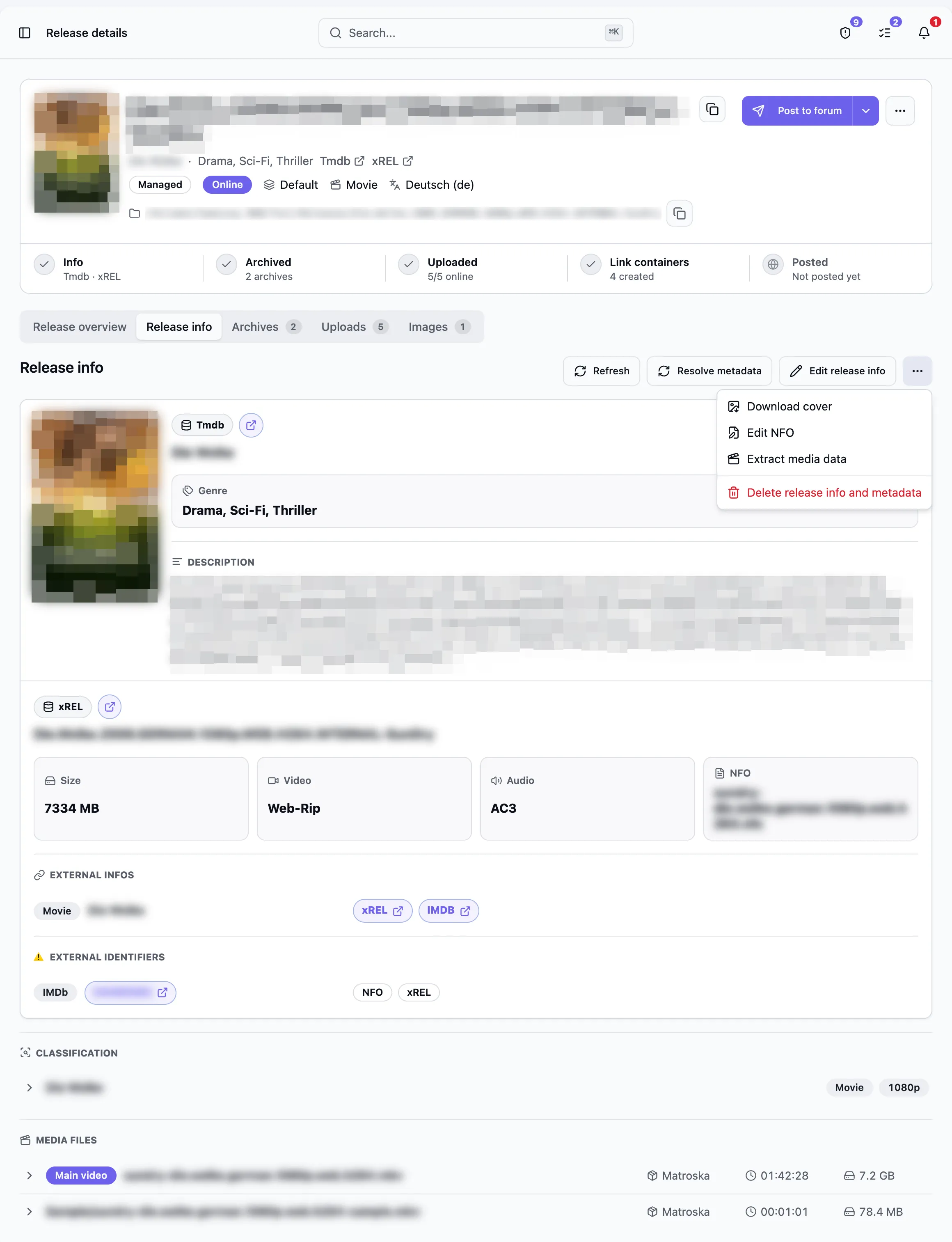
The tab shows metadata and scene information separately. Available actions:
- Refresh reloads the current data from Bearcat’s database.
- Resolve metadata asks the active metadata sources again.
- Edit release info opens the manual editor.
- Resolve now is shown when no scene release information exists.
- Add NFO is shown when no NFO is stored.
Use the ... menu to download the cover, edit an existing NFO, extract media data, or delete
the resolved release information and metadata.
Each external IMDb ID appears once, with all sources that found it.
Manual fallback
Section titled “Manual fallback”If no provider finds a match, use Edit release info to enter the values manually. You can also enter an IMDb ID or URL. Bearcat stores this ID separately from those found in the NFO, xREL, or SRRDB.
Use Add NFO or Edit NFO to enter NFO content manually. Bearcat scans the saved content for IMDb IDs every time it changes. For managed releases, the edited NFO is also written to the release folder.
Metadata entered manually is not overwritten by an automatic metadata refresh. To start a new lookup, use Delete release info and metadata, then fetch the data again. The stored NFO and extracted external IDs remain available for the next lookup.