
Managed Releases and Existing Archives
For managed releases, Bearcat packs your files. For unmanaged releases, you upload existing archives. Uploads, link checks, and reuploads work the same way for both.
| Type | Source | Who creates archives? |
|---|---|---|
| Managed | Raw release files | Bearcat |
| Unmanaged | Existing archives | You or another tool |
Managed Releases
Section titled “Managed Releases”The release folder contains your raw files. Set the archive tool, output folder, part size, and optional password in the archive configuration. Bearcat packs the files and uploads them to your chosen hosters.
Bearcat reuses existing archives when possible. If they are missing locally, it downloads them from a mirror hoster or repacks them from the raw files. The archive format determines whether new hashes require repacking.
Unmanaged Releases
Section titled “Unmanaged Releases”An unmanaged release uses existing archives and has no release folder with raw files. Each archive configuration points to an archive folder. Bearcat detects the archive format from the file extensions.
If archive files are missing, the upload returns to WaitingForArchive. Bearcat downloads them
from an enabled mirror hoster that still has them online. Without a mirror,
you must provide the archives yourself. An unmanaged release has no raw files to repack.
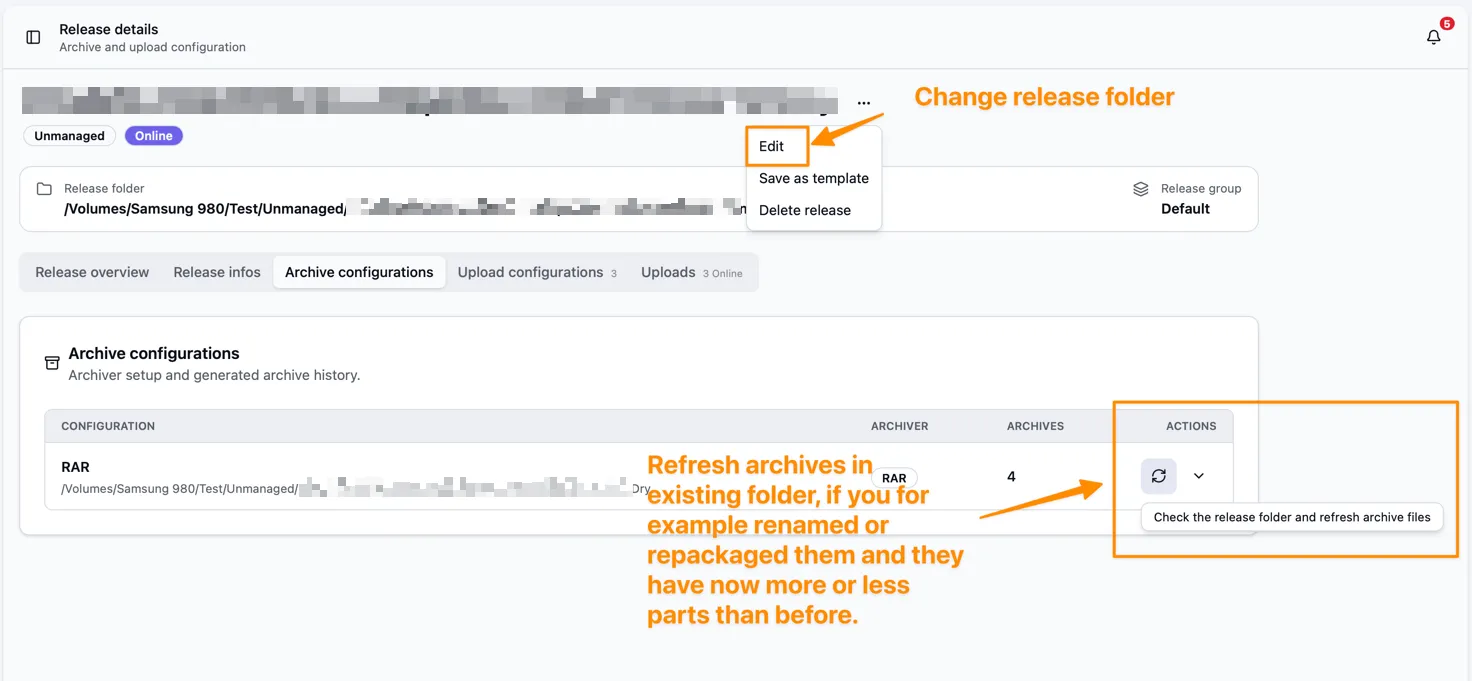
After a mirror download, the upload continues automatically. If you provide the files yourself, refresh the unmanaged archives from the actions menu. Change the archive folder if you put the files elsewhere.
Quality gates only check the release infos (cover, description, NFO) of unmanaged releases. Release folder checks are skipped.
Converting between types
Section titled “Converting between types”Use the actions menu on the release detail page to convert between types.
- Convert to unmanaged requires a created archive for every archive configuration. You cannot convert releases with a video upload configuration. Bearcat removes the stored release folder path. Archives and uploads are kept. You can then delete the raw files yourself.
- Convert to managed lets you choose a release folder with the raw files. Archive configurations and uploads are kept. Bearcat can then repack the release.
For releases downloaded from FTP or FTPS, you can also turn off Keep raw files in the remote automation. Bearcat then converts them to unmanaged and removes the downloaded folder after the first uploads, once the cleanup conditions are met.